Mobile trading has grown rapidly across the UAE, driven by one of the highest smartphone penetration rates in the world and a growing population of retail traders who prefer to manage positions on the move. Finding the best trading app in UAE means more than downloading the most popular option — it means identifying an app that matches your regulatory requirements, trading style, and the assets you intend to trade.
This guide explains what separates a capable mobile trading app from a superficially polished but limited one, and what UAE traders specifically need to evaluate before committing to a platform.
What Makes a Good Trading App for UAE Traders?#
A good trading app is reliable, transparent, and functional — not merely attractive. The best mobile trading apps share several characteristics: stable performance under real market conditions, accurate and fast price feeds, intuitive order management, and a clearly regulated broker behind them.
For UAE traders specifically, there are additional considerations: whether the app is accessible from UAE app stores, whether it supports Islamic (swap-free) account types, and whether the underlying broker is regulated to a standard that provides meaningful client protections.
Key Features to Evaluate#
When assessing any mobile trading app, work through these criteria systematically:
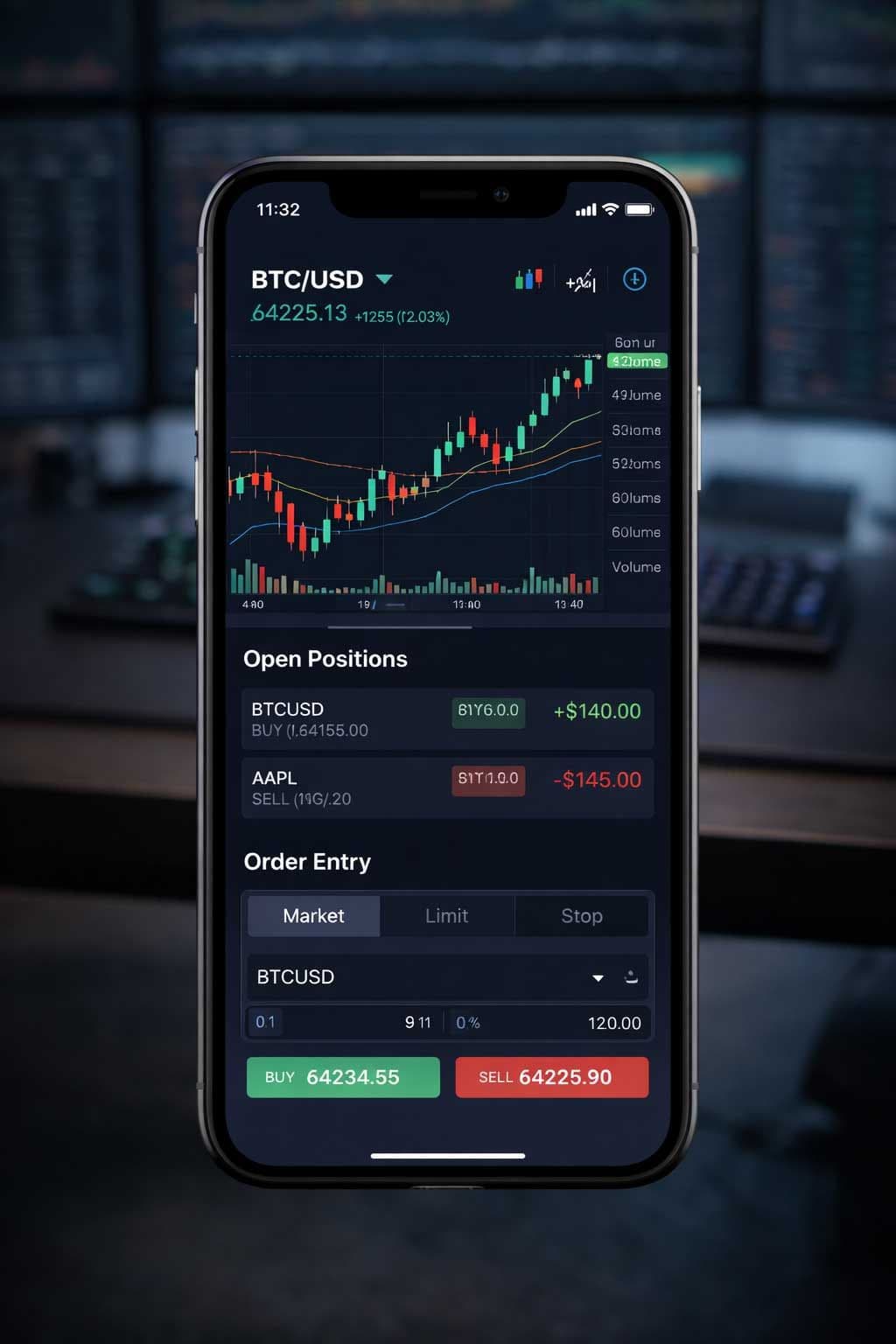
Chart quality — Does the app offer multiple timeframes and charting types (candlestick, bar, line)? Can you apply technical indicators and draw trend lines directly on mobile? Basic apps limit you to line charts; serious trading requires at minimum candlestick charts with indicator support.
Order management — Can you set stop-loss and take-profit levels when placing an order, not just after? Can you modify and close positions directly from the app? These are baseline requirements, not premium features.
Price alerts and notifications — Push notifications for price triggers, margin level warnings, and order fills are essential for monitoring positions without constantly watching the screen.
Account management — Deposit and withdrawal functionality, account statement access, and balance visibility should be available within the app, not only via a web portal.
Speed and stability — App crash rates and price feed delays are difficult to assess from marketing materials. Check App Store and Google Play reviews specifically for crash reports, lag complaints, or connectivity issues. Prioritise reviews from users in the MENA region if possible.
Security — Biometric login (Face ID, fingerprint) and two-factor authentication (2FA) are standard security features. Ensure the app supports both.
Regulation and Security for Mobile Platforms#
A mobile app is the interface — the broker and its regulator determine the protections behind it. Using a well-designed app does not compensate for a poorly regulated broker.
Before downloading any trading app, establish:
- Which broker operates the app, and which regulatory entity holds accounts opened through it
- Whether that regulator maintains a public register where you can verify the broker's current authorisation status
- Whether client funds are held in segregated accounts, separate from the broker's own capital
The UAE's relevant regulators — the DFSA (DIFC), SCA (mainland UAE), and FSRA (ADGM) — all maintain public licence registers. International regulators such as the FCA (UK), ASIC (Australia), and CySEC (Cyprus) do the same. Use these registers to verify, not the broker's own website.
Key insight: The quality of a trading app's interface has no bearing on the safety of your funds. Regulatory verification is a separate, essential step that comes before — not after — choosing an app.
Asset Classes Available on Mobile#
The range of instruments accessible through a mobile trading app depends on the underlying broker's offering, not the app itself. However, mobile apps sometimes carry a reduced instrument list compared to the desktop platform — confirm that the assets you intend to trade are available on mobile before committing.
Common asset classes available through UAE-accessible mobile trading apps:
- Forex — Major, minor, and exotic currency pairs. This is the most universally available asset class across all mobile trading apps.
- Metals — Gold (XAU/USD) and silver (XAG/USD) are widely traded and relevant to UAE traders given the region's strong commodity culture.
- Energy CFDs — Crude oil (WTI and Brent), natural gas. Available at most multi-asset brokers.
- Indices — CFDs on major global indices (S&P 500, FTSE 100, DAX, etc.).
- Shares — Individual company CFDs or direct share trading. Availability varies significantly between brokers.
- Crypto CFDs — Bitcoin, Ethereum, and major altcoin CFDs. Availability is broker-dependent and subject to regulatory constraints.
Costs and Fee Transparency#
The cost structure on a mobile app mirrors that of the desktop platform — spreads, commissions, and overnight swap rates apply equally. However, mobile interfaces do not always display costs as clearly as desktop versions.
When evaluating an app for cost transparency, check:
- Whether the spread is visible before you place an order
- Whether overnight swap rates are accessible within the app (not just in documentation)
- Whether deposit and withdrawal fees are disclosed in-app or only in the terms and conditions
If an app makes it difficult to find your actual trading costs, treat that as a material concern about transparency. Well-designed apps surface this information clearly.
iOS vs Android Availability in the UAE#
Both iOS (App Store) and Android (Google Play) are widely used in the UAE. Most mainstream trading apps — MT4, MT5, cTrader, and major proprietary platforms — are available on both operating systems. However, availability in the UAE App Store or UAE Google Play region is not guaranteed for all international brokers.
Before selecting a broker, verify that its mobile app is downloadable from your device's regional app store. Some brokers serve UAE clients but have their apps listed in other regional stores — this may require changing your account region or downloading an APK file for Android, which introduces additional security considerations.
Check the app's last update date as well. An app that has not been updated in over a year may not receive timely patches for OS compatibility issues.
How to Evaluate an App Before Committing#
Downloading an app and testing it before depositing real funds costs nothing and reveals a great deal. Most brokers offer demo accounts accessible via their mobile app. Use the demo period to assess:
- Onboarding experience — Is the registration and verification process smooth? Excessive friction at this stage often indicates operational issues elsewhere.
- Price feed accuracy — Compare live quotes from the demo app against another reliable reference source to check for notable discrepancies.
- Order execution flow — Can you complete a full trade cycle — open, modify, and close — without navigating multiple menus? Efficient order flow matters under real market conditions.
- Customer support responsiveness — Submit a test query via live chat or email during the demo phase. Response time and quality are revealing.
- Stability under load — Test the app during a volatile session (around a major economic data release, for example) to see whether charts and price feeds remain stable.
Only after completing this evaluation should you consider funding a live account.
Quick Summary#
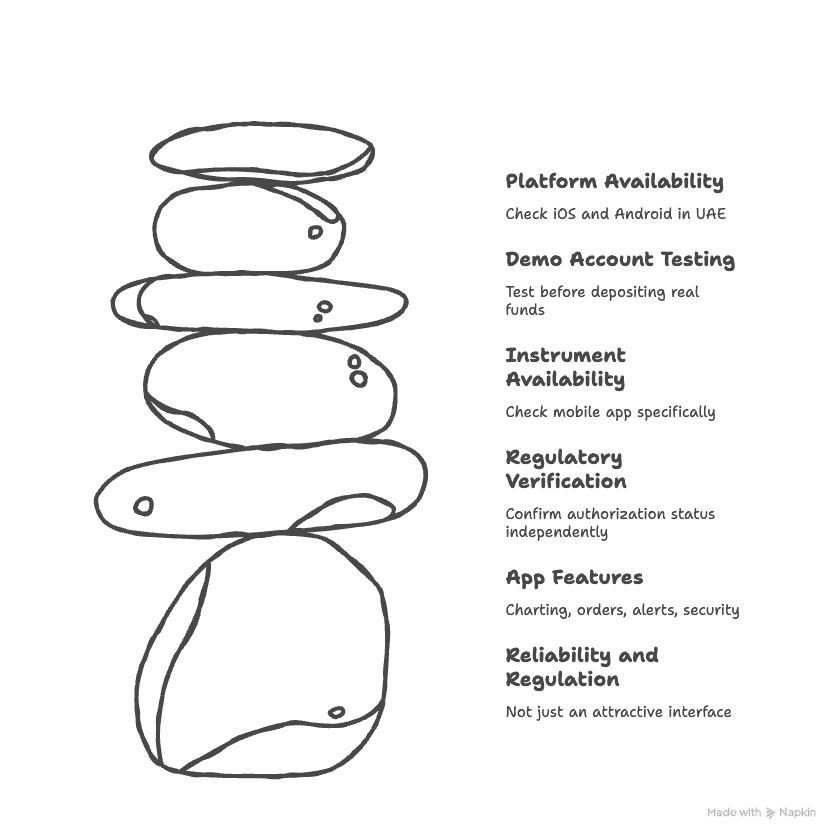
- The best trading app in UAE provides reliable execution, transparent costs, and is backed by a properly regulated broker — not just an attractive interface.
- Evaluate charting quality, order management, alerts, security features, and stability before committing.
- Regulatory verification is a prerequisite: use public regulator registers to confirm a broker's authorisation status independently.
- Confirm your target instruments are available on the mobile app specifically, not just on the desktop version.
- Always test via a demo account before depositing real funds.
- Check iOS and Android availability in the UAE region before selecting a broker.
Related Concepts#
- Best Trading Platform in UAE — Desktop and web platform types, features, and how to choose
- Best Forex Brokers in UAE — How to evaluate forex brokers available to UAE traders
- How to Open a Trading Account in UAE — Step-by-step account opening guide